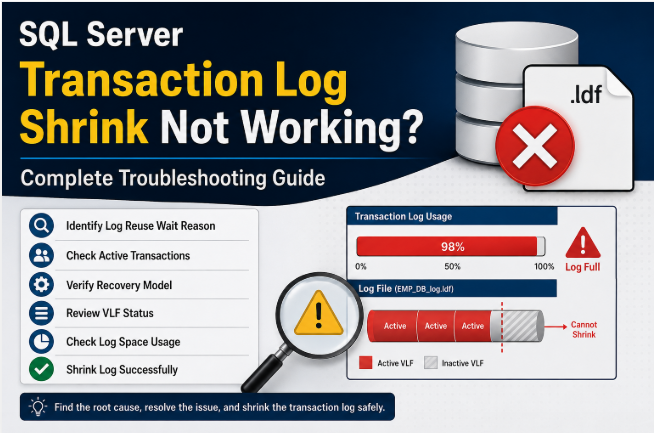
SQL Server Transaction Log Shrink Not Working? Complete Troubleshooting Guide
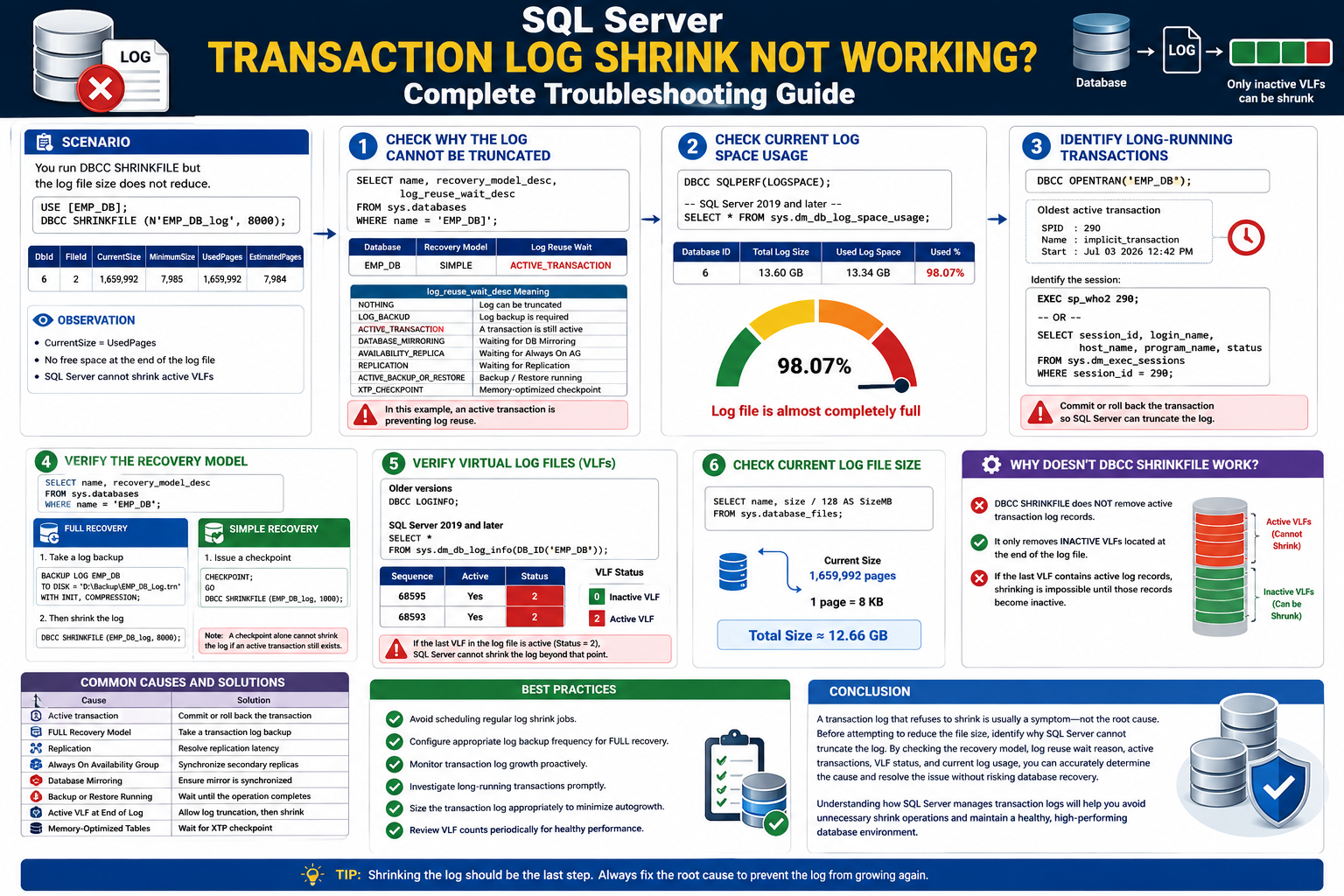
Transaction log files can grow significantly over time due to long-running transactions, infrequent log backups, or unexpected workload spikes. A common misconception is that executing DBCC SHRINKFILE will immediately reduce the log file size. In reality, SQL Server can only shrink inactive Virtual Log Files (VLFs) from the end of the transaction log.
This article explains how to diagnose why a transaction log cannot be shrunk and how to resolve the issue safely.
Scenario
You attempt to shrink the transaction log using the following command:
USE [EMP_DB];
GO
DBCC SHRINKFILE (N'EMP_DB_log', 8000);
GO
DBCC SHRINKFILE Output
| DbId |
FileId |
Current Size (Pages) |
Minimum Size |
Used Pages |
Estimated Pages |
| 6 |
2 |
1,659,992 |
7,985 |
1,659,992 |
7,984 |
Observation:
The Current Size and Used Pages are identical,
Indicating that there is no free space available at the end of the transaction log.
SQL Server cannot shrink active Virtual Log Files (VLFs).
Note: As a result, the log file size remains unchanged.
Step 1 – Check Why the Transaction Log Cannot Be Truncated
Before shrinking the transaction log, identify why SQL Server is unable to truncate the log.
Execute the following query:
SELECT name,recovery_model_desc,log_reuse_wait_desc
FROM sys.databases WHERE name = 'EMP_DB';
Sample Output
| Database |
Recovery Model |
Log Reuse Wait |
| EMP_DB |
SIMPLE |
ACTIVE_TRANSACTION
|
Understanding log_reuse_wait_desc
| Value |
Meaning |
| NOTHING |
Log can be truncated |
| LOG_BACKUP |
Transaction log backup is required |
| ACTIVE_TRANSACTION |
A transaction is still active |
| DATABASE_MIRRORING |
Waiting for Database Mirroring |
| AVAILABILITY_REPLICA |
Waiting for Always On Availability Group |
| REPLICATION |
Waiting for Replication |
| ACTIVE_BACKUP_OR_RESTORE |
Backup or Restore is currently running |
| XTP_CHECKPOINT |
Memory-Optimized checkpoint pending |
Observation
In this example, log_reuse_wait_desc returns
ACTIVE_TRANSACTION, indicating that an open transaction is preventing
SQL Server from truncating the transaction log. Until the transaction is committed or
rolled back, the inactive portion of the log cannot be reused, and
DBCC SHRINKFILE will not reduce the log file size.
Step 2 – Check Current Log Space Usage
Check the current transaction log usage.
For all SQL Server versions
DBCC SQLPERF(LOGSPACE);
SQL Server 2019 and later
SELECT * FROM sys.dm_db_log_space_usage;
Sample Output
| Database ID |
Total Log Size |
Used Log Space |
Used % |
| 6 |
13.60 GB |
13.34 GB |
98.07% |
Observation
The transaction log is almost completely full. Investigate why SQL Server cannot truncate the log before attempting to shrink it.
Step 3 – Identify Long-Running Transactions
DBCC OPENTRAN('EMP_DB');
Sample Output
SPID : 290
Name : implicit_transaction
Start : Jul 03 2026 12:42 PM
This indicates that SPID 290 has an open transaction.
Identify the Session
EXEC sp_who2 290;
OR
SELECT session_id,login_name,host_name,program_name,status
FROM sys.dm_exec_sessions WHERE session_id = 290;
Important
The transaction log cannot be truncated until this transaction is committed or rolled back.
Step 4 – Verify the Recovery Model
Determine the recovery model before attempting to shrink the transaction log.
SELECT name,recovery_model_desc
FROM sys.databases WHERE name='EMP_DB';
FULL Recovery Model
1. Take a transaction log backup.
BACKUP LOG EMP_DB
TO DISK='D:\Backup\EMP_DB_Log.trn'
WITH INIT, COMPRESSION;
2. Shrink the log.
DBCC SHRINKFILE(EMP_DB_log,8000);
|
SIMPLE Recovery Model
1. Issue a checkpoint.
CHECKPOINT;
GO
DBCC SHRINKFILE(EMP_DB_log,1000);
|
Important Note
A CHECKPOINT alone cannot shrink the transaction log if an active transaction still exists.
The active transaction must first be committed or rolled back.
Step 5 – Verify Virtual Log Files (VLFs)
Check whether the last Virtual Log File (VLF) is active.
Older SQL Server Versions
DBCC LOGINFO;
SQL Server 2019 and Later
SELECT * FROM sys.dm_db_log_info(DB_ID('EMP_DB'));
Sample Output
| Sequence |
Active |
Status |
| 68595 |
YES |
2 |
| 68593 |
YES |
2 |
Understanding VLF Status
| Status |
Description |
| 0 |
Inactive Virtual Log File |
| 2 |
Active Virtual Log File |
Important
If the last VLF is marked as Status = 2, SQL Server cannot shrink the transaction log beyond that point.
Step 6 – Check Current Log File Size
SELECT name,size/128 AS SizeMB FROM sys.database_files;
12.66 GB
Current Transaction Log Size
1,659,992 Pages
1 Page = 8 KB
Why Doesn’t DBCC SHRINKFILE Work?
- DBCC SHRINKFILE does not remove active transaction log records.
- It removes only inactive Virtual Log Files (VLFs) located at the end of the transaction log.
- If the last VLF is active, SQL Server cannot shrink the transaction log until it becomes inactive.
Common Causes and Solutions
| Cause |
Recommended Solution |
| 🔴 Active Transaction |
Commit or Roll Back the Transaction |
| 🔵 FULL Recovery Model |
Take a Transaction Log Backup |
| 🟣 Replication |
Resolve Replication Latency |
| 🟢 Always On Availability Group |
Synchronize Secondary Replicas |
| 🟠 Database Mirroring |
Ensure Mirror is Synchronized |
| 🟡 Backup or Restore Running |
Wait Until the Operation Completes |
| 🔴 Active VLF at End of Log |
Allow Log Truncation Then Shrink |
| ⚪ Memory Optimized Tables |
Wait for XTP Checkpoint |
Best Practices
✔ Avoid regular log shrink jobs.
✔ Schedule transaction log backups frequency for databases using the FULL recovery model.
✔ Monitor log growth.
✔ Investigate long-running transactions promptly.
✔ Size transaction logs appropriately to minimize frequent autogrowth.
✔ Review VLF counts periodically to maintain healthy transaction log performance.
Conclusion
A transaction log that refuses to shrink is usually a symptom—not the root cause. Before attempting to reduce the file size, identify why SQL Server cannot truncate the log by checking the recovery model, log reuse wait reason, active transactions, VLF status, and current log usage. Resolving the underlying cause first ensures that `DBCC SHRINKFILE` can reclaim only inactive Virtual Log Files (VLFs) safely.
Following these best practices helps maintain a healthy transaction log and ensures optimal SQL Server performance.